Safari-TV Multiplayer Fixes, Save System, Regions, and Voice Chat
Host-only campaign saves, region matching, Steam version fixes, camp TV download stalls, and voice chat recovery in Safari-TV co-op.
Campaign progress in Safari-TV stays locally with the session creator through an autosave (on the opening morning and after each normal overnight rest) plus a manual pause-menu save slot, though any gear left on bus shelves reloads in its default state. Documented co-op connection blockers include mismatched server regions chosen before opening the session browser, mismatched Steam build versions among teammates, level-loading timeouts, and regional network restrictions affecting game servers.
For pricing, squad size, and core co-op setup, see our platforms, price, and co-op FAQ.
How the Campaign Save System Works
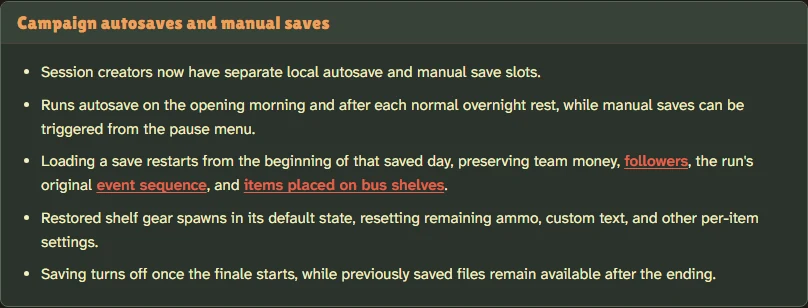
Local campaign saving arrived in patch v0.7.48 with separate autosave and manual slots restricted to the session creator. Your run autosaves on the opening morning and following each regular overnight camp rest, while manual saves are triggered from the pause menu through SAVE GAME.
Autosaves display status notices for progress, completion, or failure and retry temporary write errors on their own, falling back to a reminder to use pause-menu SAVE GAME if saving still fails. Campaign saving halts once the finale starts, though saves already written stay accessible after the ending finishes. Patch v0.7.50 also resolved a bug where the original host lost access to campaign saving after restarting Safari-TV and rejoining their room.
What Loads Back and What Resets
Reloading a save places your crew at the start of the saved day with your team money, channel followers, original event lineup, and bus-shelf item placements intact. You can track daily channel targets on the followers and days reference and check every shelf-compatible supply in the items database.
Every item stored on a bus shelf — including gear such as  AK-47,
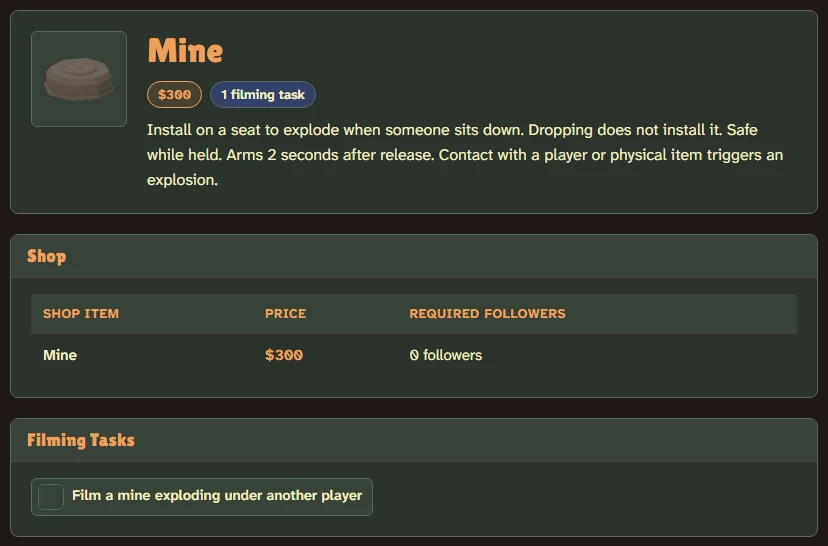
 Mine, or
 Drawing Tablet — respawns in its default item state, so remaining ammunition, custom messages, and other per-item settings reset on load. For example, custom notes written on a Drawing Tablet clear out on reload, and remaining ammunition or per-item state on an AK-47 reverts to defaults.
Overwrites, Host Disconnects, and Checkpoint Recovery
Opening the campaign menu selects CONTINUE on your newest readable save by default, while keeping unreadable autosave or manual slots listed instead of hiding them. Starting a fresh run opens the START A NEW GAME? prompt warning that your autosave will be replaced while your manual save stays untouched — a dialog whose invisible, unresponsive buttons were fixed in patch v0.7.54.
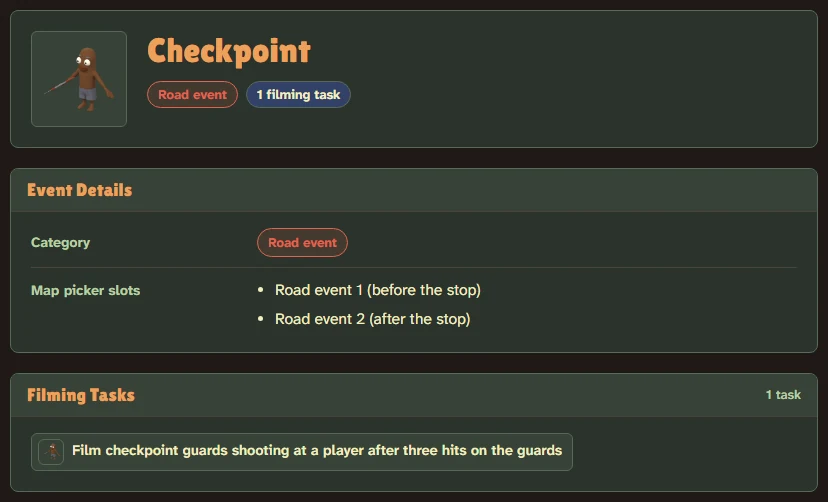
If the host drops out mid-expedition or map loading stalls, the game resets to morning with the identical map and starting-day progress. Mid-day road progress past encounters such as  Checkpoint (a road event listed in the events database) is lost on a host disconnect, whereas the team’s
RETURN TO LAST CHECKPOINT option requires every player to pick the same action and rolls back only to the previous checkpoint.
For road hazard tactics and stop-by-stop survival tips, check our wildlife and events survival guide.
Fixing Lobby, Region, Invite, and Mid-Run Join Errors
Failed co-op connections and unexpected drops trigger an error popup once you return to the main menu.
| Problem | Likely cause | Fix |
|---|---|---|
| Friends cannot see your lobby | Players selected different server regions | Have everyone pick the same region under SELECT REGION before opening the session list (added in v0.7.50). |
| Cannot create a session or connection timeout | Regional server timeout or level-loading handoff drop | Switch to a different region when hosting, and use “Report problems creating a session” or “Report problems connecting to friends” on error popups if failures persist. |
| Version mismatch on Steam invite | Host and client run incompatible builds | Exit the game, restart Steam to pull the latest update, get every player on the same build, and host a fresh session. |
| Session closed or mid-run join blocked | Crew is watching camp TV videos (or lobby is full) | Wait until TV playback finishes and join again; friends can drop in mid-run during most other phases, including the finale, spawning near the bus. |
| Steam account conflict, offline error, or bad password | Two players sharing a Steam account, offline client, or private room password mismatch | Sign in online on a separate Steam account per player, launch through your Steam library, and re-enter the private room password. |
Recent networking patches eliminated several common lobby blockers: v0.7.54 stopped Steam invites from failing solely over a mismatched receiver system clock, v0.7.57 added direct report buttons to session-creation and friend-connection popups, and v0.7.60 resolved an extra level-loading timeout alongside localized recovery hints across 31 languages. If a disconnect forces you to restart the client, in-game bug reports can attach connection logs from your active launch or the prior one so the developers can trace what dropped.
If friends are trying to join from other platforms, check our console and crossplay guide for supported storefronts and multiplayer boundaries. If you hit the password prompt for debug controls rather than a private room, see the cheats and mods guide.
Fixing Stalled Camp TV Downloads and Voice Chat Drops
When the crew returns to camp to watch recorded clips, Safari-TV downloads everyone’s recordings before playback starts. Since patch v0.7.54, if camp TV downloads stall for 30 seconds, the viewing leader receives a button to “Continue with available videos” using only clips received by every player — or to end viewing without playback when no clip is ready. Earlier updates in v0.7.45 and v0.7.50 also added upload time limits and automatic skipping for missing or unrecoverable recordings so remaining clips keep playing instead of hanging the camp TV.
If voice audio drops mid-run and displays “Voice connection lost”, choose RECONNECT on the prompt to restore the voice link, or rejoin the session if audio still fails to return. The disconnect screen also reports when no other player can keep the room open or when room reconnect is currently unavailable, advising players to rejoin the game if voice does not return. For local microphone problems unrelated to server drops, open Audio settings to test input under Voice Activation or Push to Talk, and switch back to System Default if a headset disconnects.
Russia Regional Connection Notice
In their Steam announcement titled “Important Notice to Players from Russia”, the developers warned that regional restrictions on network services prevent reliable access to Safari-TV game servers and voice chat without a VPN. Because the team cannot lift those network restrictions from their side, they advised players in Russia not to buy Safari-TV for now and recommended requesting a Steam refund if connectivity blocks co-op play. Using a VPN may improve access for players who still want to try connecting from restricted regions, though the developers noted it might not resolve every server or voice chat issue.