Safari-TV Followers & Filming Guide: Quotas, Tasks, Moments & Money
How followers and filming work in Safari-TV: 9 cumulative quotas, 10 moment multipliers, 44 tasks, repeat decay, and day-summary money rules.

Every run of Safari TV runs on a tight loop between filming chaotic footage on the road, clearing escalating cumulative follower quotas across 9 days, and turning completed filming goals and surviving tourists into shared team money at the day summary. Footage you record on your phone feeds funny-moment multipliers and daily filming tasks for followers, shared cash, and Safari Coins; once you arrive at camp, day-summary money settles first, the camp TV montage awards followers afterward, and then the crew sleeps.
On this page
- How phone filming works — phone vs camera, controls, ragdoll persistence, and team reward rules.
- All 9 daily follower quotas — 3-day cycles, cumulative quota checks, 1-2-2 daily tasks, and debt grace.
- Funny-moment follower bonuses — all 10 reward multipliers, repeat decay, team scaling, worked examples, and audience warnings.
- Filming tasks and fallbacks — Day 1 tasks, all 44 prompts, four fallbacks, visibility timers, and linked gear.
- Money and day summary settlement — tourist payouts, $750 goal pool, drink steps, repairs, and sponsor support conditions.
- Watching at camp TV, exports, and endings — co-op viewing, Windows clip saving, and Day 9 outcomes.
How Phone Filming Works
Your phone is the tool that actually records clips for your channel. Even when you pick up the 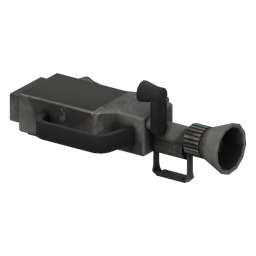 Video Camera, its item text notes that you carry the camera while still using your phone to record footage.
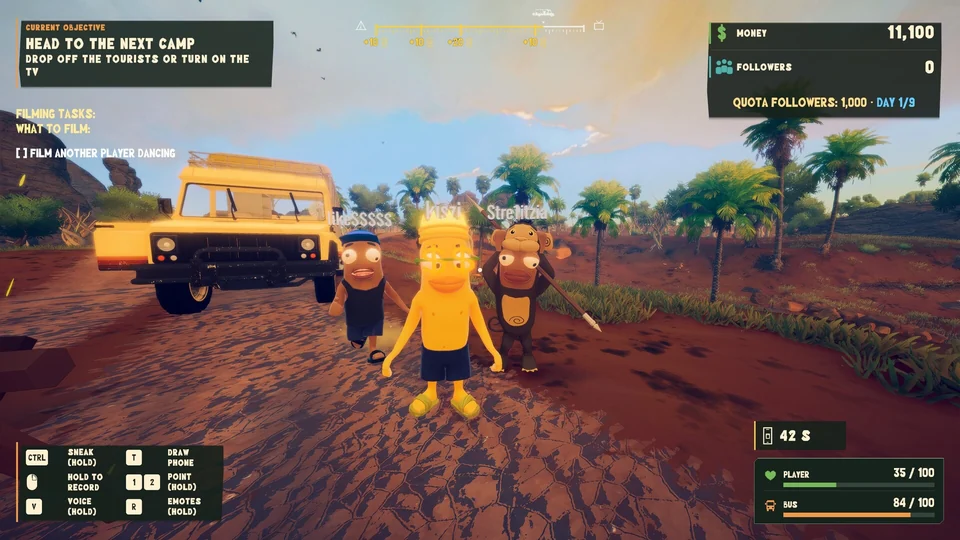
Phone controls and camera handling
- Draw, holster, and quick record: Draw or holster the phone from its dedicated binding, or hold the quick-record control to start filming immediately and release it to stop and holster the phone.
- Video mode controls: Inside the phone video screen, right-click toggles recording on and off, Q flips between the rear lens and front camera for selfies, the scroll wheel adjusts zoom, and Backspace stops filming and exits back.
- Rebinding and HUD reminders: Camera flipping can be rebound in control settings with labels matching your keyboard layout, and the HUD displays your current record button next to the remaining recording-time counter.
- Recording through falls: If you trip or enter a ragdoll while filming, the active recording keeps rolling as long as you keep holding the record input.
- Full-power ragdoll throws: Charging a full-power throw with a ragdoll body counts toward the throw filming task.
Recording limits and the team reward rule
Recording time is finite on each trip, and the phone warns when memory is full. Starting a video exchange also temporarily blocks new recordings until the transfer finishes.
One key co-op rule governs multi-camera crews: filming the same event on multiple phones still pays only one team reward. Splitting angles across separate hazards, tourists, or personal filming tasks prevents wasted recording time on duplicate clips.
All 9 Daily Follower Quotas
Followers measure channel progress across the 9-day run, rising from 1,000 on Day 1 all the way to 1,000,000 on Day 9 across three 3-day reward cycles (×1 on Days 1–3, ×10 on Days 4–6, and ×100 on Days 7–9). You can review the live table on the followers and quotas page or test exact crew scenarios in the follower quota planner.
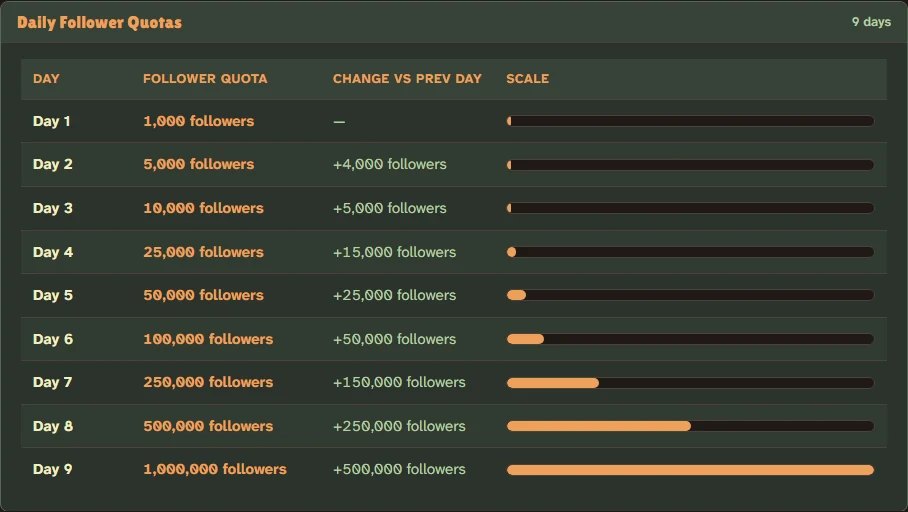
| Day | Cycle | Tasks per player | Task reward | Moment base | Cumulative quota | Sponsor threshold |
|---|---|---|---|---|---|---|
| Day 1 | ×1 | 1 | 1,250 | 175 | 1,000 | 10,000 |
| Day 2 | ×1 | 2 | 1,250 | 175 | 5,000 | 10,000 |
| Day 3 | ×1 | 2 | 1,250 | 175 | 10,000 | 10,000 |
| Day 4 | ×10 | 1 | 12,500 | 1,750 | 25,000 | 100,000 |
| Day 5 | ×10 | 2 | 12,500 | 1,750 | 50,000 | 100,000 |
| Day 6 | ×10 | 2 | 12,500 | 1,750 | 100,000 | 100,000 |
| Day 7 | ×100 | 1 | 125,000 | 17,500 | 250,000 | 1,000,000 |
| Day 8 | ×100 | 2 | 125,000 | 17,500 | 500,000 | 1,000,000 |
| Day 9 | ×100 | 2 | 125,000 | 17,500 | 1,000,000 | 1,000,000 |
How tasks, cumulative quotas, and debt grace work
Every completed filming task pays the day’s task reward of 1,250 multiplied by the cycle factor—1,250 on Days 1–3, 12,500 on Days 4–6, and 125,000 on Days 7–9 (example E1). Task rewards are credited from your completed count (capped at assigned goals) and are never scaled by crew size, though returning to camp with zero clips awards 0 followers for the day even if tasks were completed (example E2).
Personal task counts follow a repeating three-day schedule of 1 task per player on Days 1, 4, and 7 and 2 tasks per player on Days 2, 3, 5, 6, 8, and 9 (example E14). On Day 1 only, the game restricts personal prompts to five simple tasks: framing the bus, filming a basketball hoop shot, filming a football goal, filming another player jumping, and filming another player dancing; from Day 2 onward the game draws from every other task in the 44-task pool instead. Ignore the milestone popup claiming extra daily tasks scale up from follower peaks, because that legacy ladder is not what the game assigns.
After camp TV playback settles your daily award, the game checks the day’s quota once per day against your cumulative total team followers (days where objectives were unavailable skip the check, example E11). Falling below the cumulative quota triggers the bankruptcy finale immediately with no grace day, whereas after the ninth day the quota drops to 0 with no new deadline (examples E1 and E11). Dropping below $0 in shared cash alone is more forgiving: negative money grants one day of grace, so debt incurred on one day must be repaid back to $0 or above by the end of the next day before bankruptcy ends the run (example E11).
Follower unlocks and Safari Coins
Reaching follower thresholds unlocks wardrobe cosmetics that are bought with Safari Coins, whereas all 19 camp shop equipment entries currently require 0 followers to purchase with dollars. Completing filming tasks generates +25 Safari Coins per task from your followers, which you can spend across the cosmetics hub and the full hats catalog.
Funny-Moment Follower Bonuses
Beyond completed tasks, every distinct filmed moment pays the day’s base moment reward—175 × the cycle multiplier (175 on Days 1–3, 1,750 on Days 4–6, and 17,500 on Days 7–9)—multiplied by its bonus tags, its repeat-decay percentage, and the crew’s team-size factor. The 10 funny-moment bonus numbers in client data are percentages (reward multipliers), not flat follower payouts: for example, Bus destruction at 150 multiplies the moment’s reward by ×1.5 (+50%), not +150 followers. When a moment carries multiple bonus flags, their multipliers multiply together, with each flag’s percentage clamped between 100% and 400% (×1 to ×4) in client code.
| Moment category | Reward multiplier |
|---|---|
| Bus destruction | ×1.5 |
| Explosion | ×1.5 |
| Loud scream | ×1.5 |
| Fight | ×1.3 |
| Gunfire | ×1.3 |
| Ragdoll | ×1.3 |
| Voice chat | ×1.25 |
| Action | ×1.2 |
| Animal | ×1.2 |
| Tourist | ×1.2 |
Only those 10 bonus categories multiply a recorded moment’s reward, with no separate multiplier for keeping players in frame. Bringing a  Megaphone lets a crewmate project their voice farther while holding the use input, while still obeying normal microphone settings.
Duplicate clips, repeat decay, and team-size scaling
- One payout per physical event (E6): Filming the same physical event across two cameras or clips still counts as one episode for the day, and the settlement keeps whichever copy earned the higher bonus multiplier (for instance, capturing one plain rifle clip and one tagged with Gunfire ×1.3 awards 228 followers on Day 1 rather than paying twice).
- Repeat decay on four noisy/emote kinds (E5): Four moment kinds—Voice, Megaphone, Jump, and Dance—map into three repeat-decay categories per player over a day, with Voice and Megaphone sharing one bucket while Jump and Dance each have their own. The 4 earliest distinct events of a category for a player pay 100%, 50%, 25%, and 10%, and every later event drops to 5%, while all other moment kinds stay at 100%. Six plain Voice moments from one participant in a two-player crew on Day 1 pay 175, 88, 44, 18, 9, and 9 for 343 followers total.
- Team-size factor (E4): Every moment reward is scaled by 2 divided by crew size (clamped between 1 and 4 players, rounded away from zero): ×2 solo, ×1 for two players, ×2/3 for three players, and ×1/2 for four players. Team scaling applies only to filmed moments, never to completed task rewards.
- Task-overlap rule: When a filmed moment also serves as the clip for a completed task, you keep only the larger payout (task plus moment minus the smaller of the two), and the settlement matches overlaps so the smallest overlaps are removed first.
Worked follower example (E3 and E4)
Suppose a two-player crew on Day 1 (task reward 1,250; moment base 175) completes 1 of 2 assigned tasks and films three distinct moments: a Voice chat plus Loud scream moment (175 × 1.875 = 328.125, rounded to 328), a Gunfire shot (227.5, rounded to 228), and an Action jump (210) that also fulfills the completed task. The settlement adds 1,250 + 328 + 228 + 210 and subtracts the 210 overlap for 1,806 followers (example E3). Keeping that same footage and changing only the crew size from 1 to 4 players pays 2,361 solo, 1,806 for two players, 1,621 for three players, and 1,528 for four players (example E4).
Audience warnings and why followers never drop
The camp TV settlement never removes followers—quality loss and task loss are always 0. The five audience notices below are feedback labels only, and Nothing recorded is the sole warning that alters your payout by setting that day’s follower gain to 0 even if filming tasks were finished (examples E2 and E13):
- Boring content: Overall interest stayed too low; capture denser action and finish your filming goals.
- No action: Clips lacked movement or voice; film crew reactions, lively motion, and spoken banter.
- Nothing recorded: The crew returned to camp without recording any clips on their phones, which awards 0 followers for the day.
- Nobody in frame: Animals or people stayed visible for too little time; keep subjects centered longer.
- Too much repetitive content: Recordings looked overly similar; rotate between wildlife, people, and active stunts.
Filming Tasks and Always-Possible Fallbacks
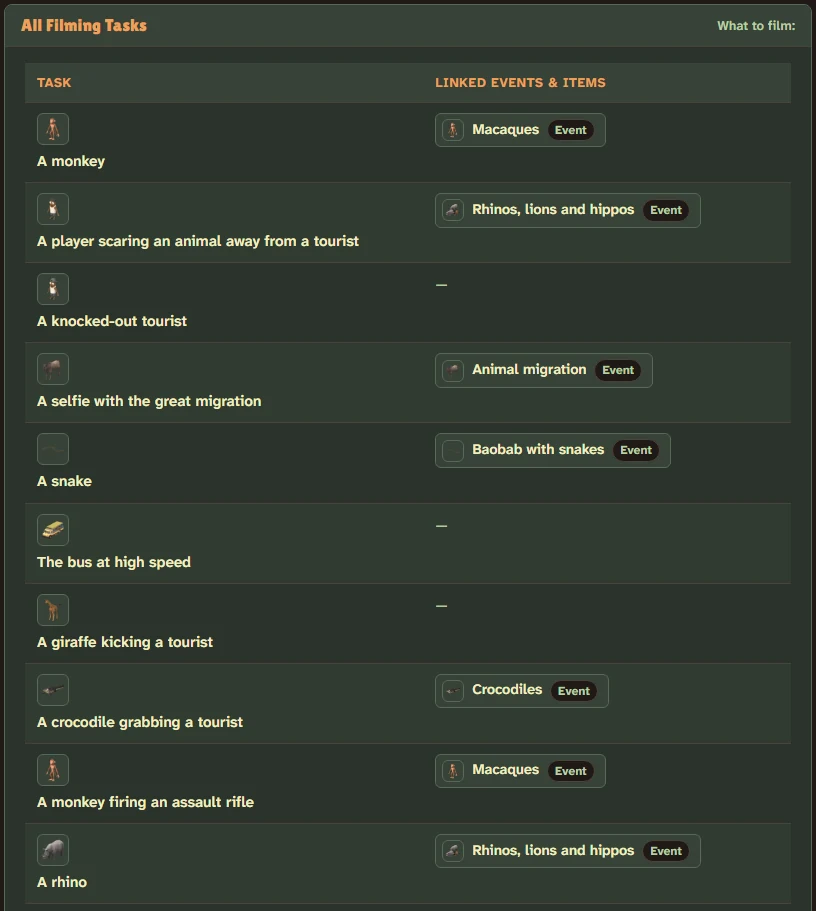
The game draws daily prompts from a pool of 44 filming tasks, and every task in the pool carries an equal selection weight of 1. Browse the complete searchable list on the filming tasks database or cross-check linked stops in the events directory.
Always-possible fallback tasks
Four tasks in the pool are flagged as fallbacks so your crew always has doable prompts regardless of which road or main encounters roll on that route:
- A tourist: Keep any tourist visible on camera for 1 second.
- The bus: Frame the safari bus for 1 second.
- A selfie with the bus: Flip to the front camera and record yourself alongside the bus for 1 second.
- Two tourists in one frame: Fit two tourists into the same shot for 1 second.
Visibility timers, bus speed, and camp balls
Most tasks register after 1 second of clear visibility, while three vocal and interview tasks demand 2 seconds on camera: shouting at the camera, interviewing a teammate beside a rhino during 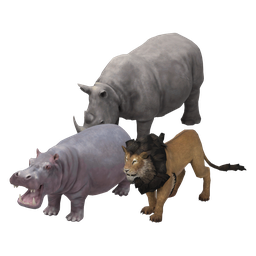 Rhinos, lions and hippos, and recording a speaking player together with at least one tourist. The tourist briefing rule was simplified in v0.7.39 so you only need the speaking player and a tourist on camera together for 2 seconds, without needing either of them inside the bus.
Several general tasks rely on driving speed, camp toys, or crew stunts rather than a specific wildlife stop:
- High-speed bus: Record the bus traveling at 34 km/h or faster for 1 second.
- Camp sports: Film a
 Basketball dropping through the hoop or capture a
 Football goal; camp balls you carry, store on a bus shelf, or bring forward stay preserved even after the previous camp unloads.
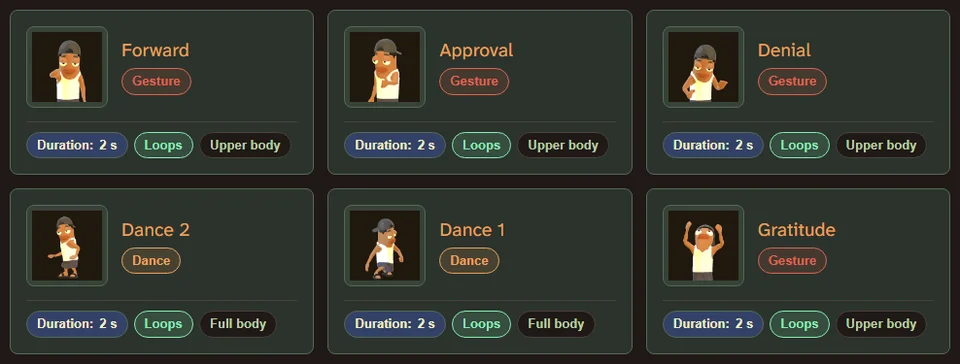
- Crew and tourist chaos: Unlinked prompts also cover filming a full-power throw hitting a player or tourist, a knocked-out player or tourist, a vehicle running over a teammate, a tourist getting punched, a giraffe kicking a tourist or player, or another player jumping or dancing.
Item-linked and event-linked filming tasks
Many tasks tie directly to specific camp gear or wildlife encounters—including 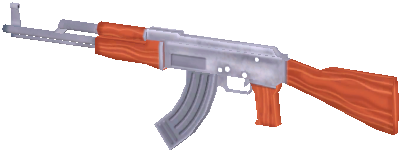 AK-47 gunfire,
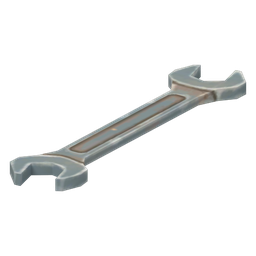 Repair Tool,
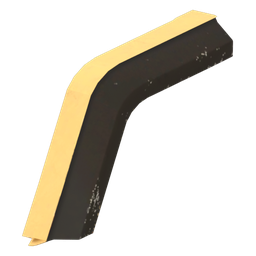 Bus Part, and
 Bus Wheel repairs, feeding a hippo a
 Carrot, triggering a
 Mine, or surviving stops like
 Crocodiles,
 Macaques,
 Elephant,
 Bonfire, and
 Boulder. Check the items database for prices and tool descriptions, and pair the gear below with the right route stops:
| Task focus | Linked item | Linked event | Visibility |
|---|---|---|---|
| Bus repair in progress | Repair Tool, Bus Part, Bus Wheel | — | 1 s |
| Crewmate firing a rifle | AK-47 |
— | 1 s |
| Scattering monkeys using a rifle | AK-47 |
Macaques |
1 s |
| Riding a tamed hippo | Carrot |
Rhinos, lions and hippos |
1 s |
| Blast under another player | Mine |
 Minefield |
1 s |
| Shot sinking through the hoop | Basketball |
— | 1 s |
| Scoring a goal on the pitch | Football |
— | 1 s |
| Reptile grabbing a tourist | — | Crocodiles |
1 s |
| Monkey on camera or firing a rifle | — | Macaques |
1 s |
| Rhino, rhino capture, lion escape, hippo attacks, or rescue | — | Rhinos, lions and hippos |
1 s |
| Interviewing a player beside a rhino | — | Rhinos, lions and hippos |
2 s |
| Bus tossed into the air | — | Elephant |
1 s |
| Teammate roasting on the spit or breaking the support | — | Bonfire |
1 s |
| Rolling rock smashing into the bus | — | Boulder |
1 s |
Other encounter-specific prompts can also appear when their stops spawn:  Animal migration (a selfie with the great migration),
 Baobab with snakes (filming a snake),
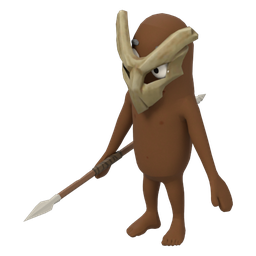 Tribespeople (a tribesman knocking down a tourist and dancing nearby in the same clip),
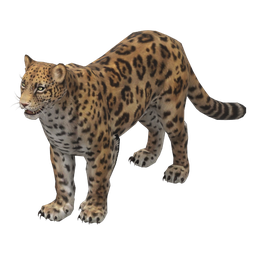 Leopard and
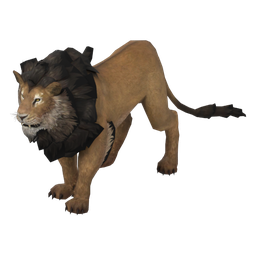 Lions (a big cat carrying a player or a teammate scaring it into releasing a living player),
 Checkpoint (provoking guards with three hits so they open fire on a teammate), and
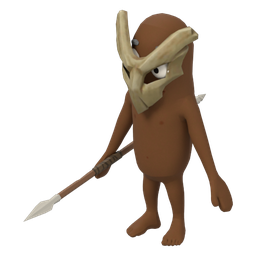 Spear ambush (a spear hitting another player). Remember that feeding a Carrot to a hippo from your hand lets you tame and ride it, while using a Repair Tool or reinstalling a Bus Part or Bus Wheel all fulfill the bus repair task.
Money and Day Summary Settlement
When your crew reaches camp, the day summary totals shared team income and deductions into one balance. Follower task rewards (1,250 × cycle) and moment rewards (175 × cycle) never enter the money screen—cash and followers share only your count of completed filming goals. Plan purchases and test exact settlement runs with our day-summary and shop budget calculator.
| Settlement entry | Dollar rule | How it applies |
|---|---|---|
| Tourists saved | +$100 per tourist | Paid for each surviving tourist out of 6 |
| Tourists lost | $0 on Days 1–9 (-$100 after) | Lost tourists cost nothing during all 9 protected sponsor days; $100 is deducted per lost tourist only afterward |
| Drink service bonus | $0, $33, $67, or $100 per tourist | Paid per arriving alive tourist for 0, 1, 2, or 3 timely drinks served within 60 seconds |
| Filming goals completed | $750 team pool (pro rata) | Shares a 3 × $250 pool by completed-over-assigned goals using banker’s rounding (half-dollar ties to the nearest even dollar) |
| Automatic bus repairs | -$2 per HP, -$10 per part, -$25 per wheel | Deducted at camp for missing bus health (100 max HP), detached panels, and missing wheels |
| Sponsor support | Tops up to $1,000 on Days 1–9 | Tops up goal money minus bus repairs to $1,000 when eligible, with tourist and drink payouts stacked on top |
Filming goals pool, sponsor eligibility, and worked money examples (E7–E10)
- Pro-rata filming-goal cash (E10): Rather than paying a flat $250 per task, the day summary divides a $750 team pool (3 × $250) by your crew’s total assigned tasks, multiplies by completed tasks (capped at assigned), and rounds half-dollar ties to the nearest even dollar (banker’s rounding). With 4 assigned goals, finishing 0, 1, 2, 3, or 4 goals pays $0, $188 (187.5 rounded to even), $375, $562, or $750.
- Sponsor support condition (E9): Sponsor support runs across the 9 protected days and triggers only when your crew finished at least 1 filming task, filmed at least 3 distinct moments, or already holds cumulative followers at or above that cycle’s sponsor threshold (10,000 on Days 1–3, 100,000 on Days 4–6, and 1,000,000 on Days 7–9). Doing 0 tasks with only 2 moments and 9,999 followers on Day 1 earns $0 sponsor support.
- Worked camp settlement (E7 and E8): On Day 1 starting with $500, saving 5 of 6 tourists with timely drink counts of 3, 2, 1, 0, and 3 ($300 drink bonus), completing 1 of 4 filming goals ($188), taking $105 in bus repairs (70/100 HP for $60, 2 missing parts for $20, and 1 missing wheel for $25), and filming 1 distinct moment produces $883 ordinary net ($500 tourists + $300 drinks + $0 penalty + $188 goals − $105 repairs). Because goal cash minus repairs is $83, sponsor support adds $917 ($1,000 − $83), yielding $1,800 total net and a $2,300 balance (example E7). Running that identical day after the 9 sponsor days end adds a $100 lost-tourist penalty and pays $0 sponsor support, dropping net income to $783 (example E8).
Each tourist can ask for water or beer up to three times per day with 60 seconds to serve each request, so keeping the bus stocked stacks $0, $33, $67, or $100 per passenger directly on top of sponsor support; see our tourist care and drinks guide for full serving and healing steps. Fixing missing panels and wheels before ending the day lowers automatic repair deductions, which directly saves net cash on sponsor-ineligible days and after Day 9 (during Days 1–9, eligible sponsor support tops up goal money minus repairs to $1,000 and absorbs repair costs)—covered in detail in our bus repair and controls guide.
For help prioritizing gear purchases with your shared cash, check our best shop items guide, or revisit the full camp-to-road sequence in the beginners guide.
Watching at Camp TV, Exporting Clips, and Campaign Endings
Back at camp, up to 4 players can watch the day’s clips together on the television, and everyone in the crew must join the viewing before playback begins. If filming tasks are still unfinished when you interact with the set, a prompt lets you either watch anyway or step back to film more.
Before clips roll, the game synchronizes footage across all viewers so only recordings downloaded by everyone play. If transfers stall for 30 seconds, the session leader can choose to proceed with whichever clips have already synced.
Saving clips locally
Saving a watched reel to your computer is only supported on Windows; on unsupported operating systems, phone recording and camp TV playback still function while export buttons stay disabled. See our video export and clip sharing guide for saving steps and troubleshooting.
Winning Day 9 vs losing a run
Clearing every cumulative quota through Day 9’s 1,000,000-follower milestone triggers a party invitation where your crew takes a slice of cake and confronts KING BONK for the good ending (with no new quota after the ninth day). Missing a daily cumulative quota starts the bankruptcy finale immediately, whereas a negative cash balance allows one day of grace before bankruptcy fires—read the full breakdown in our campaign endings guide.