Safari-TV Steam Deck & FPS Settings: Graphics Presets & Lag Tips
How Safari-TV runs on Steam Deck, which SteamOS export limits apply, and how to tune graphics presets, FSR, VSync, and camera comfort toggles.
Safari-TV runs on Steam Deck with controller support and developer-tested frame rates of 50-55 FPS after November optimization patches, even though Windows remains the listed store platform and clip exports stay disabled on SteamOS and Proton. Whether you play on handheld or desktop hardware, picking among the five graphics presets, tuning Render Scale and VSync, and switching off Head Bobbing cover the core performance and comfort controls in the menu.
For the full day loop, driving controls, and early gear priorities, start with the beginner’s guide.
Steam Deck Support, Controller Input & Known Limits
Although the store listing names Windows as the supported operating system, November hotfixes added Steam Deck controller support across driving, menus, in-game phone apps, and on-foot play, paired with gamepad prompts and the on-screen keyboard. Hotfix v0.7.34 added Steam Deck support for a dedicated recording and export backend, while v0.7.39 introduced a separate camp TV audio-video playback backend to fix colour bars and silent clips (and disabled Save Video and Prepare for TikTok on SteamOS and Proton).
In the controls menu, controller sliders and toggles cover look sensitivity, inverted vertical look, separate deadzones for left and right analog sticks, and a reset button for controller camera settings. Menu navigation relies on the D-pad to move focus, A to accept, and B to step back, while button bindings stay on a fixed layout that you remap through Steam Input. If no controller appears in the menu, the prompt directs you to choose a gamepad layout inside Steam Input.
Following early launch slowdowns, the mid-November optimization pass cut scene draw calls from roughly 4,000 down to 600 in developer benchmarks, lifting Steam Deck frame rates from about 30 FPS to 50-55 FPS and reaching roughly 190 FPS on the developer’s desktop PC. Because those figures reflect the two developers’ personal hardware, actual frame rates vary by setup; an earlier hotfix first targeted at least 40 FPS on lower-end machines.
One platform gap remains on SteamOS and Proton: Save Video and Prepare for TikTok are disabled and display a Windows-only notice, even though recording clips during a safari and watching them on the camp TV work normally. See the video saving and clip export guide for desktop export steps and troubleshooting.
Graphics Presets, FSR, VSync & Display Options
The graphics menu organizes performance tuning around five quality presets alongside separate display, upscaling, and camera comfort controls.
| Setting | Menu options | Practical effect |
|---|---|---|
| Graphics Preset | Very Low, Low, Mid, High, Ultra, Custom | Sets grass density, grass distance, model detail (LOD), and culling; manual edits switch the preset to Custom |
| Shadows & culling (preset-bundled) | Controlled by preset; lightweight ground shadows restored Nov 15 | Patch v0.7.39 kept real-time shadows off on Very Low (20 m view distance) with sooner object culling across Mid, Low, and Very Low; the November 15 performance pass disabled shadows and cut draw distance before a follow-up November 15 update restored lightweight ground shadows beneath players, tourists, wildlife, and the bus |
| Bloom | Off or On | Stays independent from the selected quality preset |
| FSR & Render Scale | Follows preset FSR mode; Render Scale 33-100% | Phone cameras follow the preset FSR mode, and lowering Render Scale reduces rendering load |
| VSync & Frame Rate Limit | Separate controls, including a 100 FPS cap and Unlimited | VSync follows display refresh rate and overrides the cap, while your chosen cap stays remembered underneath |
| Resolution & Display Mode | Fullscreen, Borderless, Windowed | Accepted changes save between launches; unaccepted display changes revert after 15 seconds |
| Head Bobbing | Persistent toggle | Disables first-person walking and running bob plus sideways head sway |
In patch v0.7.39, Very Low kept real-time shadows disabled while extending view distance to 20 metres instead of 13 (whereas Low, Mid, High, and Ultra restored real-time shadows); the November 15 performance update then turned off shadows and trimmed draw distance across presets before a later November 15 patch brought back lightweight ground shadows under the bus, players, wildlife, and tourists. On Very Low, Low, and Mid, distant objects also transition to simpler models and cull sooner to lower geometry load, while every preset bundles grass density and distance together.
In-game phone cameras automatically follow the FSR mode chosen by your graphics preset, and the menu strings also expose FSR Sharpness values from 0 to 100 alongside a Render Scale range of 33-100%. Turning on VSync locks output to your display refresh rate and overrides your Frame Rate Limit; switching VSync back off restores your remembered cap, including the 100 FPS option.
On Windows, Safari-TV runs solely on DirectX 11 after November patches disabled both DirectX 12 and Vulkan. Several heavy visual features were also cut or simplified at the rendering level instead of remaining toggles: live bus mirror reflections and their setting were removed, projected decals, cavity shading, and screen-space outlines were switched off, camp geometry and textures were combined to cut rendering overhead, and distant vegetation models plus decorative bird flocks and butterflies were simplified or removed.
Why FPS Still Drops During Map Generation & Filming
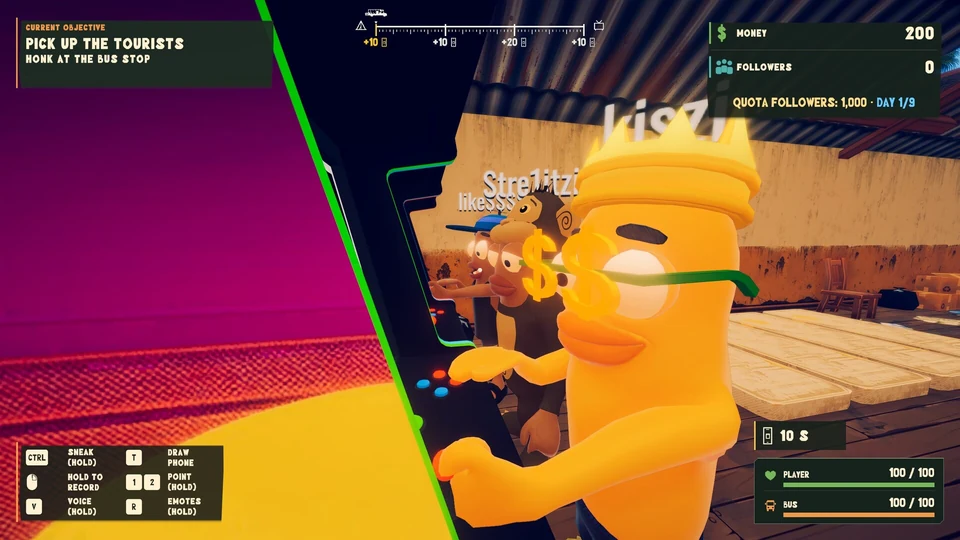
Even on a tuned setup, brief stutters while loading a new day are expected: both the map-generation and map-optimization HUD notices warn that temporary FPS drops may occur while terrain, vegetation, objects, and navigation finish building. To keep background load down during a tour, ahead-of-route grass, trees, and terrain remain hidden until you reveal the next passage, and overnight camp rest unloads the previous day’s zone and leftover encounters.
Recording clips remains the primary ongoing frame-rate bottleneck: although the two-week Early Access developer update highlighted one player jumping from 25 to 75 FPS after early patches, the developers noted that FPS drops while filming are still under active work. During a tour, you carry the 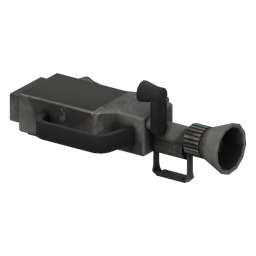 Video Camera and record clips on your phone, so stepping down your preset or Render Scale helps cushion recording dips while chasing tasks in the filming and followers guide or checking gear in the items list.
If you want to send performance telemetry back to Mercy Games, the privacy menu offers an optional FPS analytics toggle that uploads numeric frame-time data, build and graphics settings, CPU and GPU models, and RAM and VRAM totals over HTTPS to a private Cloudflare portal while omitting photos, game logs, player names, and your Steam ID. Declining or opting out later never limits gameplay, and stored records are kept for up to 30 days. When filing a manual slowdown report in-game or on Discord, the developers ask for your resolution, graphics settings, RAM, GPU, and CPU, where the frame drops happen, and whether you hosted or joined the lobby.